
User interfaces
The user-oriented design
With the introduction of touch controls, system operators are faced with a challenge: the visualization must enable unambiguous, error-free and clear interaction without time-consuming training of employees. The user-oriented HMI design has priority here.
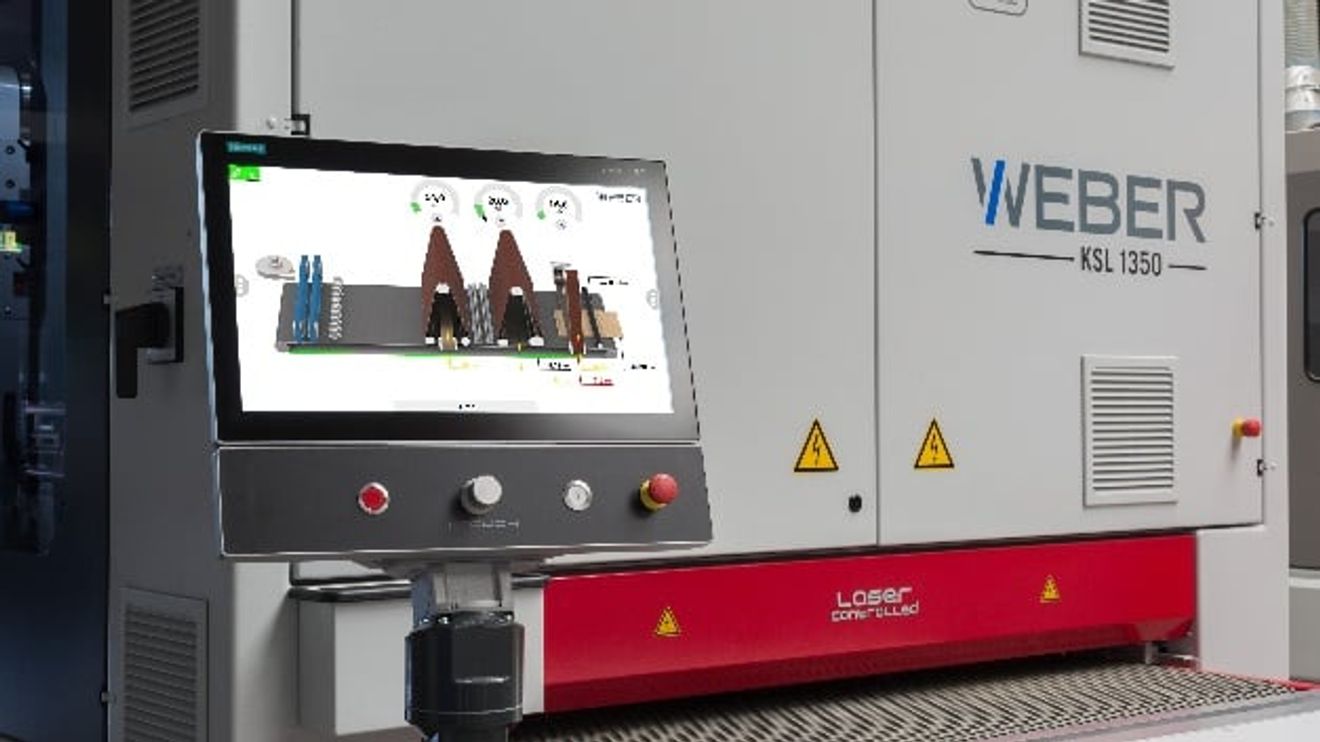
With the increasing digitalization of manufacturing processes, machines and systems will perform more than one task in the future, be more closely networked with other systems and even work autonomously in some cases. At the same time, user expectations regarding the usability of systems in the production environment are rising: even complex machines and systems should be as easy to operate as possible - just as users are used to from everyday devices such as smartphones. In addition, user-friendliness is also becoming an economic aspect in production: companies are dependent on their employees finding their way around new systems quickly and without extensive training - and increasingly expect their machine and system manufacturers to provide appropriate solutions for system operation.
Key criterion for acceptance and productivity
These requirements can be met with a user-oriented HMI. It enables users to work more safely, efficiently and productively. Appropriate visualization solutions also make training and familiarization easier and therefore offer real added value - which also makes the HMI design a key criterion for the acceptance of a machine or system and a differentiating feature for the machine and system manufacturer.

Developers of HMI designs in an industrial environment need to rethink: away from the functional representation of the system/machine. It is important to put yourself in the user's shoes and tailor the visualization to the workers in production.
© SiemensDue to the advancing technological possibilities, a wide variety of solutions can be implemented for machine operation. However, it is clear that it is crucial how the user interfaces are designed so that users are effectively supported in their work and are not confused rather than informed by an overabundance of options. It is therefore more a question of the right approach than a question of technology as to whether the HMI design meets the user's requirements.
For this reason, many machine and plant manufacturers are increasingly investing in a good, user-oriented design for their HMI solutions. They are often faced with the challenge that their development teams are already working at full capacity with the implementation of the actual plant automation. To make matters worse, employees do not have the right design and usability skills to develop and implement a user-centric visualization solution. The advantages of a well-designed user interface are often offset by a comparatively high initial outlay for training and implementation - and the reluctance to deal with HMI design is particularly high in the more technical engineering environment.
The same basic rules and principles apply to the design of an HMI in an industrial environment as to the design of other user interfaces, says Oliver Gerstheimer. As founder and Managing Director of Chilli Mind, a think tank for digital innovation and user experience design, he is committed to the well thought-out design of digital products and services. He is convinced that new forms of interaction will also become established in the industrial environment. Developers must then be able to map these requirements in a playful and precise manner - and above all: in a user- and context-centered way. But, Oliver Gerstheimer continues: "Regardless of whether I have comparatively little leeway in the design of user interaction or a lot - there are always basic rules, patterns and principles that I should adhere to." This is why Oliver Gerstheimer is working with Siemens to make it easier for developers in industry to get started with user-oriented HMI design: the HMI Design Masterclass (a web-based training course in video format) shows how a structured approach leads to ergonomic, error-avoiding and clear operating solutions that are easy to implement and provide optimum support for users in their day-to-day work. The Masterclass videos explain the essential parts of the design process step by step. The following topics are covered in detail:
- Rethinking interaction
- Analyzing context
- Designing interaction
- Evaluating design
- Building and testing prototypes
- Refining the design
- Communicate added value
In this way, even 'non-designers' can familiarize themselves with the basics of good HMI design and receive practical tips and rules of thumb for the design of visualization solutions.
Efficient integration into the engineering workflow

With modern software tools such as the Simatic Visualization Architect (SiVArc), visualization solutions based on the PLC program can be generated automatically using a block library.
© SiemensOnce this initial hurdle has been overcome, users now have powerful tools at their disposal with which the implementation of the visualization solution can be efficiently integrated into the engineering workflow. For example, the TIA Portal option Simatic Visualization Architect - 'SiVArc' for short - from Siemens supports the automatic generation of visualization solutions based on the PLC program. The only requirement is that the user has developed a standardized HMI solution based on the libraries in the TIA Portal. If this is the case, SiVArc can be used to create a complete visualization solution with all variables, images, image objects and text lists for the respective end device at the touch of a button using rules. The special feature here is that the visualization can also be created depending on several PLC programs. The automatic generation of the HMI eliminates many identical work steps, which relieves engineering staff of routine tasks and at the same time reduces the risk of errors. The finished solution is then based on the tested blocks from the TIA Portal library and therefore has a higher project quality right from the start. Changes to the PLC program can be made automatically, and SiVArc makes it easy to map different configurations in the visualization, especially for modular machines and systems - the options are simply read from the PLC program and created or adapted in the machine visualization.
Investing in the future
Even if the introduction of user-oriented HMI design requires a certain amount of rethinking in many areas, the investment in design and usability pays off.
As the operators can handle the systems more intuitively, the effort required for familiarization, training and service is reduced. This benefits both users and machine and plant manufacturers: the operator receives a more attractive overall package that supports them well in their work and makes it easier to deal with increasingly complex systems - and the machine and plant manufacturer can score points with a modern, attractive visualization that can be efficiently implemented, adapted and further developed.
The importance of HMI design for productivity in an industrial environment is not only demonstrated by the numerous negative examples that every user has probably already experienced: Missing or incomprehensible selection options, ambiguous or even misleading instructions are a source of error in production that should not be underestimated. Companies such as Siemens have also identified HMI design as the key to the acceptance of a machine or system and are working with partners to ensure that visualization is no longer just seen as a functional addition to the actual automation, but as a central element for productivity and efficiency.
For example, Siemens has launched its own HMI Design Award, which recognizes innovative visualization solutions that focus on the user.
At the same time, the company is working on further solutions for interaction between man and machine in order to both explore the technological possibilities and meet the increasing expectations of users - it is quite conceivable that functions such as facial recognition could replace password entry in an industrial environment or that employees in production or maintenance could be supported by voice assistants. By then at the latest, companies will have to deal with a variety of interface concepts - all the better if the foundations for a user-oriented, intuitive design of human-machine interaction have already been laid, regardless of the device or context on which dialogs with machine interfaces then take place.
Author:
Felix Kranert is responsible for marketing in the Human Machine Interface (HMI) division at Siemens.
What makes a good human machine interface?
Oliver Gerstheimer, UX expert and Managing Director of Chilli Mind:

"The effort is worth it!" Oliver Gerstheimer, UX expert and Managing Director at Chilli Mind.
© Siemens"A good user interface is both aesthetic and functional: it is easy to use and - precisely for this reason - fun to work with. This also and above all applies to HMI design in industry. Here we are at the beginning of an exciting development in which purely functional operation is being transformed into playful, dialog-oriented operation. To put it bluntly, we are moving away from a multitude of operating options on one interface towards a logical, ergonomic operating sequence and genuine interaction between user and machine. With a good, clean HMI architecture, I not only support the user, but also save time and effort. A harmonious, uniform operating logic makes it easier to work on and with the machine.
That's why we at Chilli Mind and Siemens have jointly launched an HMI Design Masterclass. We want to contribute to a greater awareness of what good design can achieve and benefit - because no matter how good a machine may be, if the user cannot cope with it, it will still not succeed on the market. In the masterclass, we want to share tips and tricks for good design and also provide participants with arguments as to why design is so important and why it is worth the effort - and also how they can sell the added value of good design internally and externally."


You might also be interested in
Siemens and UL Solutions digitize certification process
For the first time, an industrial product was certified for the USA after some of the required tests were digitally simulated and the results confirmed by physical tests. This was made possible with the help of the digital twin.
 read more...
Strong finish to the 2023 financial year
According to Siemens, revenue and order intake increased by 10% and 6% respectively on a comparable basis in the fourth quarter of 2023. In the Industrial Business, Siemens recorded its highest earnings and profitability figures ever.
read more...Security test suite for industrial networks
Siemens has expanded its industrial cybersecurity portfolio by launching an all-in-one security test suite for industrial communication networks.
read more...Innomotics launches as a Siemens subsidiary
Siemens is bundling its range of motor and large drive systems under the name Innomotics. The company was launched in Germany on July 1, 2023 as a wholly owned Siemens subsidiary.
read more...Cooperation expanded
Prostep and Siemens Digital Industries Software have expanded their collaboration: Now the Siemens software Polarion ALM and Teamcenter Manufacturing from the Siemens Xcelerator portfolio can also be connected to Prostep's OpenPDM integration...
read more...Plus 27 % in industrial business
Siemens has continued its strong growth momentum with comparable order growth of 20% since the beginning of the fiscal year, as CEO Roland Busch explained on the occasion of the publication of Siemens' quarterly figures. The figures in detail.
read more...Prototype interface for advanced robotics
The coupling between PLC and robot controller is crucial for the integration of advanced robotics applications in an automation environment. With ArTIA, Artiminds and Siemens have developed a software connector that links their engineering tools.
read more...Siemens stops new business with Russia
More and more German companies are withdrawing from Russia due to the war in Ukraine. Siemens is now discontinuing new business in the country. The impact on sales is likely to be limited.
read more...Siemens raises forecast - also thanks to demerger
Splitting up Siemens was a huge experiment. Less than a year after the IPO of the energy division, the move is proving to be the right one - at least from the perspective of the booming remaining group.
read more...