
Eplan
Construction: QR codes in no time at all
QR codes can be generated directly in Eplan platform version 2.9. Users can store hyperlinks in their documentation, which can then be scanned and opened from mobile devices such as smartphones or tablets using an app.
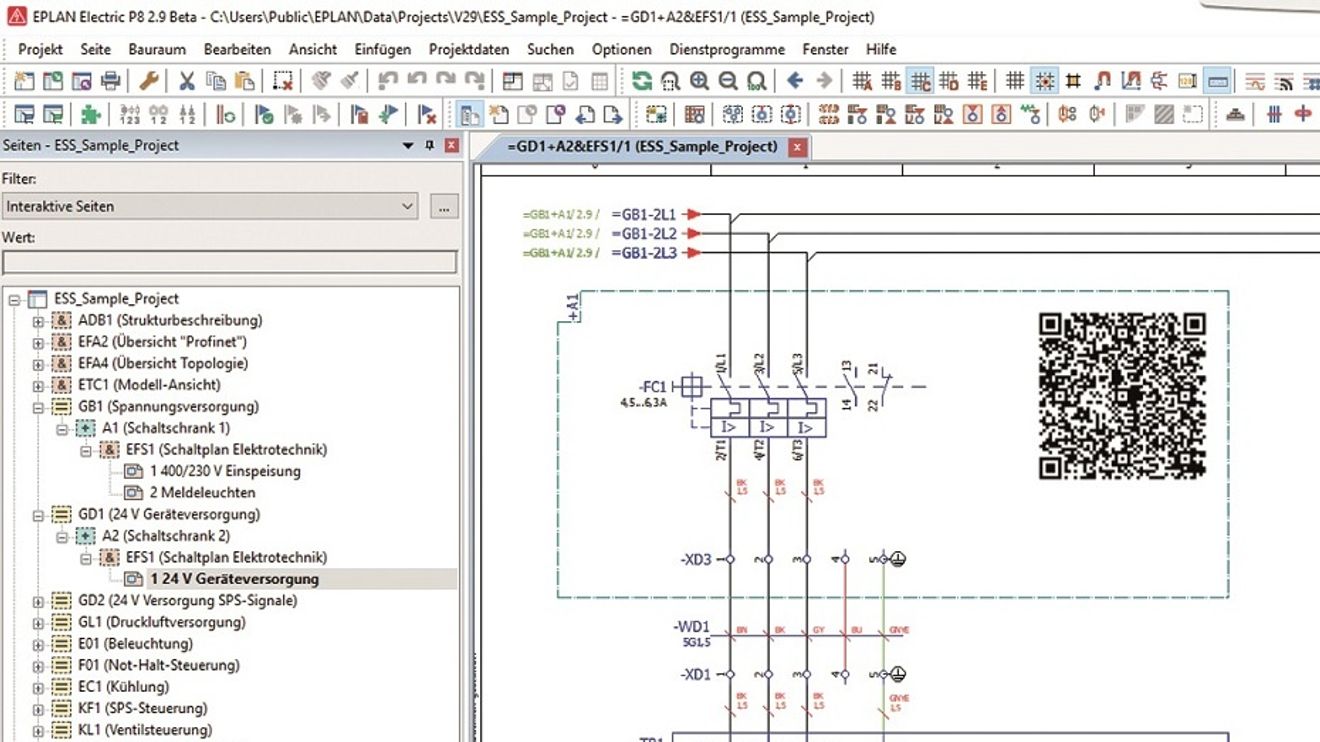
This applies to both internal and external links. Layer management has been simplified as a dockable dialog: all changes are now saved automatically. Other functions, such as searching for layers and changing their assignment, round off the layer management. According to Eplan, a project can be easily searched for all objects to which a specific level has been assigned in a project or sub-project. Designers can then use the properties dialog of an object found in the search results list to change the assignment of the level searched for.
The new configuration dialog makes it easier for users to manage and edit user-defined property arrangements for circuit symbols and 3D item placements. During configuration, they can check these and simply remove unused, user-defined property arrangements. A context menu helps to easily find the arrangements used.


You might also be interested in
Drivers of digital services
A year ago, Eplan set itself the goal of implementing the digital transformation with its customers. What has become of this resolution? Sebastian Seitz, CEO, gives an initial summary.
 read more...
SPS Connect 24.11. - 11:10 - 11:30 a.m.
Networked engineering in the cloud
Digitalization, data consistency and collaboration are the key topics that offer opportunities to improve engineering processes. OEMs/system integrators, suppliers, service providers and clients work closely together in the industrial automation...
read more...CAE software for improved data flow
Amperesoft is launching version 2020.1 of its ToolSystem, which combines several tools for the software-supported engineering process: the CAE system 'ProPlan' and the mass data management tool 'MatClass'.
read more...More collaboration thanks to the cloud
Eplan goes Cloud - under this motto, the company is presenting not just a module, but a comprehensive cloud concept for generating and using design data.
read more...The 'Subscription Economy'
The most significant economic trend of the current decade? Ownership is becoming a burden and more and more customers are paying for services on a subscription basis. The service subscription is thus becoming the central building block of the...
read more...ZVEI: The digital nameplate 4.0
Since the end of 2018, the ZVEI and Helmut Schmidt University Hamburg have been working with manufacturers in the automation industry to implement the 'Digital Nameplate 4.0' project. Gunther Koschnick, Managing Director of the Automation...
read more...The benefits of data standards
Fully digitized data is the driver for optimizing engineering in control and switchgear construction on the basis of a digital twin. This means that the corresponding article and device data must be available right at the start of project planning.
read more...Digitization of production
IIoT Building Blocks from iT Engineering Software Innovations is a platform for evaluations and machine learning applications directly in the factory environment.
read more...New Managing Director at Bachmann electronic
Bachmann electronic has appointed Daniel Pfeifer as its new Managing Director with effect from January 1, 2026. He succeeds Bernhard Zangerl, who will be leaving the company.
read more...