
HMI interface
Parameterize or program?
Machine manufacturers are often faced with the question of how they should implement operating interfaces: Should they use their own programming or one of the HMI/SCADA solutions available on the market for pure parameterization? There are also solutions that combine both worlds.

The interface between man and machine has a decisive influence on the further development of industrial automation, in which more and more functions and options are being implemented in software. First and foremost, an HMI/SCADA system allows machines and systems to be operated and provides assistance by visualizing various states, sequences and trends in the machine or process. Greater flexibility of applications usually goes hand in hand with greater complexity of machines and systems. In the age of Industry 4.0, more extensive data sets are also available from digitized components and additional sensors. The sum of these trends means that controlling ongoing processes is becoming more complex on the one hand, while on the other hand there are more opportunities for intervention, for example to optimize production or ensure more precise compliance with production specifications as part of quality management.
Accordingly, the functions of HMI and SCADA systems are also becoming more extensive. Assistance systems for operation during ongoing operations are just as much a part of the scope as support for maintenance and repair tasks. Last but not least, the permanently installed screen - on the machine or in the control station - is being supplemented by more and more interfaces. Remote access via the Internet and mobile access via notebook, tablet or smartphone are standard for many users. In addition, the advent of smart glasses opens up the use of augmented and virtual reality (AR/VR), for example in maintenance. New contactless operating concepts using speech, gestures and facial expressions are being researched or are already being tested in some cases - and there is no end in sight to this development.
In all of this, however, it is not just a matter of expanding the possible applications for the system operator and the operator at the machine. The user interface must remain user-friendly despite the increasing complexity of the functions. This is because deficiencies in usability can lead to operating errors that cause unnecessary costs or even jeopardize the safety of the system or the operator.
Reconciling all of this is a real challenge for machine manufacturers, which they usually meet with one of the following strategies: On the one hand, a company can solve the task completely in-house and program an HMI or SCADA application itself from scratch. On the other hand, there are ready-made solutions that meet the requirements through extensive parameterization. Both approaches have their specific advantages and disadvantages, which you should be aware of.

The advantages and disadvantages of the different approaches
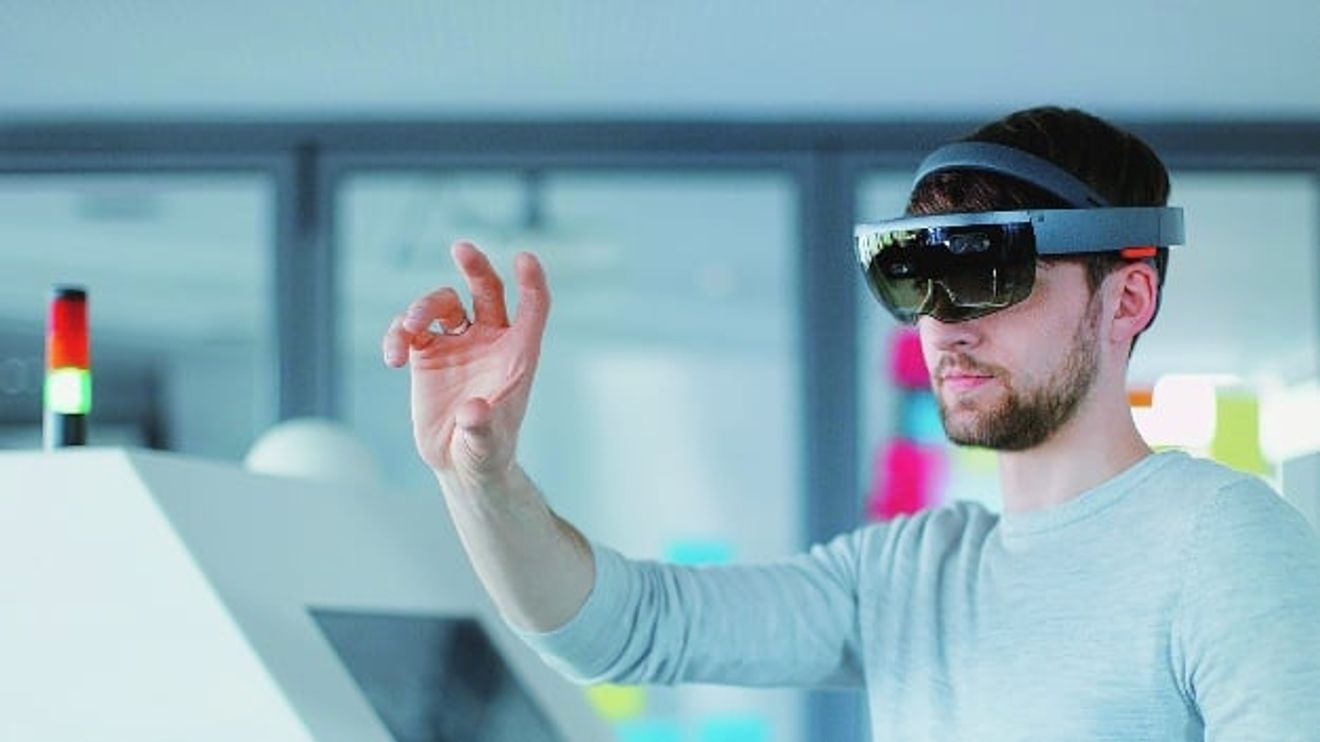
Open interfaces enable the integration of operating devices of the future - such as the Microsoft Hololens.
© InosoftIf you program yourself, you have complete freedom to implement your operating concepts and application ideas - as long as the associated costs are economically justifiable. All technical doors are also open during implementation, for example when it comes to programming languages or development frameworks. This is relevant insofar as the interfaces for new devices, for example for data glasses such as Microsoft's Hololens, can only be implemented in current environments. The demands on programmers are correspondingly high: they must be fit in the latest programming languages and tools.
Those who cannot or do not want to make this effort will opt for a ready-made solution that can be easily adapted to their own requirements - at least within the scope of the predefined functions. You may also be subject to certain restrictions when it comes to the graphic design of the interface. In this case, machine manufacturers are dependent on the provider implementing all the necessary options or providing corresponding APIs and interfaces that allow additional products to be added or new operating devices and operating concepts to be integrated.

The requirements for ease of use, functionality and design of HMI surfaces are increasing. On the other hand, high-quality surfaces give machine manufacturers a competitive advantage.
© InosoftThe numerous solutions available on the market differ, sometimes significantly. It is important to take a close look at which manufacturer you commit to - both in terms of the current technology and the development path that is mapped out for future versions. It is also important to check which interfaces to applications outside the HMI/SCADA world a solution supports - such as ERP systems and cloud applications - and which protocols are available for data exchange. Depending on the strategy being pursued, it is important to check very carefully whether the intended solution can achieve the goal at all.
However, it is not only the solutions themselves that differ greatly - development and maintenance also have a completely different character depending on the strategy chosen. If you develop your HMI application yourself, you need highly qualified developers. These are not easy to find on the market - larger companies that can offer attractive conditions therefore often have an advantage. The 'side effects' of a self-programmed application should not be underestimated: Adaptation to new hardware as well as updated operating systems and frameworks. This can be a strength if the self-developed solution can take advantage of technical innovation and generate added value for the user. Particular attention must be paid to version management of the in-house code and the third-party libraries used. In addition, security must be guaranteed throughout the life of the system.
If you rely on a purchased solution, you do not have to worry about such problems - that is the responsibility of the provider. However, the provider must also fulfill its obligations reliably and promptly. Purchased solutions are often proprietary, i.e. not based on common open standards, but use manufacturer-specific data and interface formats. This ties you closely to the HMI provider, sometimes not only for the software but also for the hardware. As long as the manufacturer regularly adapts its product to new computer and output technologies, the OEM has saved a lot of effort. If, on the other hand, the product remains at a development stage with increasingly outdated hardware, the machine manufacturer cannot rectify this himself. In the worst case scenario, the only option is to switch providers - and thus make a costly new start on the next platform.
The middle way
In addition to these two 'ideal-typical' strategies - programming or parameterization - there is a middle way that combines the advantages of both worlds. On the one hand, such systems offer a wide range of standard functions that can be easily set up using parameterization. On the other hand, complex functions can be retrofitted using object-oriented programming languages and the professional tools available for this purpose, while ready-made solutions can only be modified to a limited extent using scripting languages.
The idea behind such solutions is that the 'mandatory program' of the HMI can be created with little effort. This task can be performed by experienced automation specialists. Software experts only come into play for additional extensions. Functions that are not available on the market as ready-made solutions, special applications and services from the machine manufacturer and the consideration of customer-specific technologies and requirements are just a few examples of such additions.
Another important aspect is the design of the interface, for example in the machine manufacturer's design or according to the customer's wishes. The decisive factor here is that the programmed extensions fit seamlessly into the parts of the HMI that are based on parameterization.
One example of such an open system is VisiWin from Inosoft. This solution is deeply embedded in the Microsoft ecosystem for developing graphical systems. This includes Visual Studio, the Blend design tool and the .Net framework including Windows Forms and the GUI framework WPF (Windows Presentation Foundation). This integration ensures continuous further development and adaptation to current Windows operating system versions and modern PC technology.
A large developer community and numerous download platforms offer extensive opportunities to obtain support even outside the largely free manufacturer service, including in the form of ready-made function modules that are available for download. The risk of a 'manufacturer lock-in' is therefore very low with this solution.
If you want to program additional functions for VisiWin yourself, you can fall back on various technologies and languages. The focus is on C# and VB.NET (Visual Basic.NET) from Microsoft as well as web technologies such as HTML5, CSS, XAML and Javascript. Of course, current communication protocols such as OPC UA are also integrated.
In summary, it can be said: Every solution has its justification, but each application must be considered individually. The basis for a decision is a thorough weighing up of the advantages and disadvantages as well as the available skills in the company.
Author:
Stefan Niermann is Sales Manager at Inosoft.


You might also be interested in
New Managing Director at Bachmann electronic
Bachmann electronic has appointed Daniel Pfeifer as its new Managing Director with effect from January 1, 2026. He succeeds Bernhard Zangerl, who will be leaving the company.
 read more...
Dual leadership in Shanghai
Stefan Becker has been appointed Managing Director of Eckelmann Automation Technology in Shanghai and will manage the subsidiary together with Zhongwei Huang.
read more...Secure data management in the cloud
Bachmann presents new functions of the platform-independent visualization solution 'atvise': Thanks to container operation and a consistent client concept, the solution can now also be used securely as a higher-level IoT (Internet of Things) service.
read more...Automated detection of damage to trains
No more overlooked damage: A project team at TH Wildau has optimized the inspection of passenger trains using AI-supported computer-visual techniques. The results of the "ESPEK" project are summarized by the research partners.
read more...Support arm panel expands portfolio
The 'TT 1564' multi-touch operating panel for mounting arm installation extends the Sigmatek range.
read more...Tablet for the Ex area
With the 'Pad-Ex 01 P12', Pepperl+Fuchs is launching a new tablet for professional use in potentially explosive atmospheres in Zone 2/22, Division 2.
read more...Keyboards with glass surface
Ateg offers capacitive PC keyboards with a glass surface from the French manufacturer Tactys. The glass of the user interface is made of 3 mm thick, hardened white glass, which is robust against mechanical influences.
read more...The golden mean
What to do with vision applications that are too complex for rule-based image processing on the one hand, but too simple to justify investing in a full deep learning solution on the other? One option is machine learning 'at the edge'.
read more...HMI in the assembly line modernized
Swedish packaging manufacturer Kinnareds Well has modernized its human-machine interfaces in the assembly line with Rockwell Automation partner Hax Technologies. The aim was to improve productivity and user-friendliness.
read more...