
Augmented reality
Networking the real and virtual worlds
The increasing quality of digital camera systems and the growing computing power of mobile devices are turning a vision into reality: Augmented reality now offers such a high level that the technology can also be used for commercial applications.
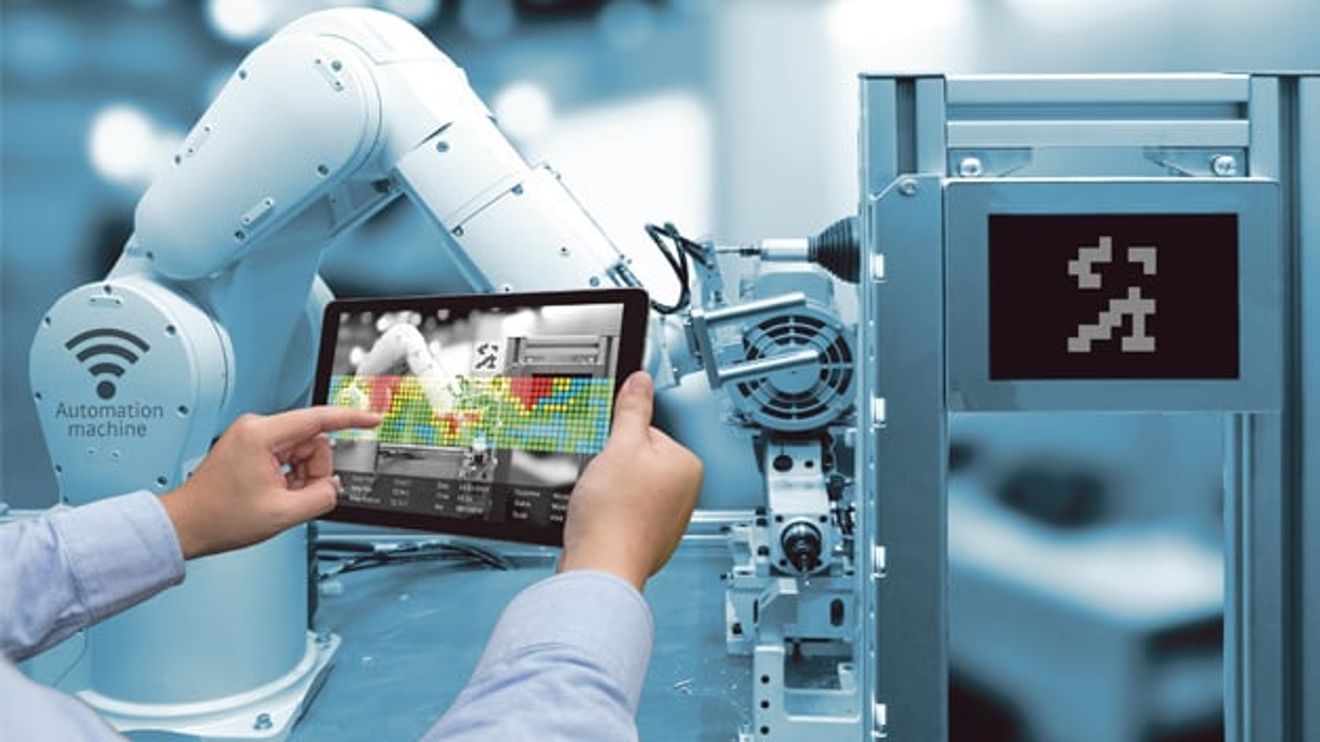
Live data on every production machine, remote helpdesk or virtual hall planning: augmented reality (AR) now offers what was previously only possible from a computer in the office directly on site in production. Data glasses or a mobile device use the integrated camera to recognize all important elements in the environment and display context-related information to the user. The image of the real environment is superimposed with virtual information and the computer-aided augmented perception of reality adds value in terms of end-to-end networking and increased effectiveness of work processes.
However, AR applications from the consumer sector currently dominate the market, as the target group already has the necessary mobile devices. Additional AR applications from the entertainment sector have recently been added. Computer games in particular are increasingly relying on the extended possibilities offered by augmented and virtual reality (VR). Numerous potential applications for the industrial environment can be derived from these already successful areas of application:
- Production information via tablet directly at the machine: key performance indicators (KPIs) and production data can be monitored directly at the machine via cloud access.
- Interaction: Users can influence the real environment via virtual objects. This ranges from switching on the light and virtual light switches to intervening in the production or system control.
- Training instructions directly on the machine: Printed or online manuals can be replaced by practical training directly on the machine. An app on a tablet or data glasses recognizes individual components of the system, explains how to use them and uses graphics to support immediate, practical application of the theory.
- Remote helpdesk for rapid assistance in the event of a fault: Previously, a service technician often had to travel to a machine breakdown to rectify the fault, which led to expensive production downtime. The remote helpdesk sends a live image of the system via online video stream to the expert, who can now give both verbal and graphical instructions to those responsible on site from his office. Find out more below.
The basics of augmented reality
The 'environment' comprises exactly what the user of augmented reality applications sees of reality - in other words, the surroundings of their location. In most cases, it is captured by a camera system and displayed unchanged on a mobile device. Virtual objects can be superimposed onto this virtually displayed real environment. This can be an image of a real object, but also a simulation or simple information. The link between the environment and the object is the anchor point. It defines the exact point at which the object is integrated into the environment. In addition to the visual basis, interaction also plays an important role. Users can use a virtual object to influence the real environment by executing control commands. For example, users can operate real lamps via a virtual light switch.
The most common mobile devices for using augmented reality are tablets, smartphones and data glasses such as the head-mounted display from Fujitsu or the HoloLens from Microsoft. Similar to conventional glasses, data glasses are worn on the user's head, leaving both hands free. They are controlled via voice commands. Data glasses are clearly superior to tablets, especially in an industrial environment, when both hands are needed for the tasks to be carried out. Tablets, on the other hand, have the advantage that they are already available in many places and integrated into everyday working life and that many users are therefore familiar with their use. In addition to mobile devices, there are other possibilities for augmented reality applications. Beamer solutions that project virtual objects onto a screen, for example, behind which the real environment is located, are particularly well established here.
Determining the anchor point
In order for the real and virtual worlds to merge, the mobile device must recognize where it is. The anchor point defines two essential features depending on the use case:
- Recognition of the environment (for example: which system or switch is involved) and assignment of the linked objects.
- Recognizing the position where the object is placed within the dynamic environment.

AR in the consumer market: furniture manufacturers offer apps that allow customers to assess furniture in its future location before they buy it (left). Head-up displays provide drivers in luxury cars with additional information (right).
To date, location information has mainly been used to determine anchor points. For static points outdoors, the simplest solution is to use GPS information. The position coordinates define both the anchor point and the surroundings, i.e. which object must be displayed at this position. The much-hyped AR game Pokémon GO from summer 2016 uses this technology. In enclosed spaces, technologies such as Wi-Fi positioning or beacons can be used. The latter are small, compact Bluetooth transmitters that are either battery-operated or installed in rooms or on objects with a permanent power connection. Beacons send a unique identifier, the Unique ID (UID), to the location and position in the room. In addition to the possibility of electronically marking objects, devices and rooms, the technology can also be used for indoor navigation. RFID tags or data matrix codes (DMC) are available to identify dynamic elements within the environment (e.g. components within the manufacturing process). They provide the necessary information for the anchor point and the linked object.
Pattern recognition is a universally applicable technology for determining the anchor point. Image processing algorithms create an edge pattern from the camera image of the environment and compare this with learned patterns. For this purpose, the original patterns should be rich in detail and contrast and, if possible, very different. The patterns found in this way define the anchor point and the linked object. With the help of this technology, digital travel guides can recognize points of interest even without GPS positioning and display the corresponding information. In manufacturing companies, parts inspections can be carried out to ensure that employees are installing the correct parts.
AR for end-to-end production planning
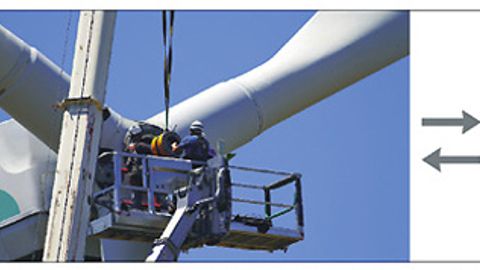
An expert in the office can see the technician's environment on site via video stream and give the employee verbal and virtual instructions.
© Image: jcg_oida/Fotolia.com; luckybusiness/Fotolia.com; image processing: Infoteam SoftwareIn addition to the possible applications for augmented reality applications in the industrial environment that have already been briefly outlined, two concepts will be presented in more detail below. In order to make the benefits of end-to-end networked production directly usable within production using AR, one solution involves equipping each individual system with a Bluetooth beacon. The AR app can then clearly identify its location and each system in combination with the camera image. Using end-to-end communication structures in line with Industry 4.0, the AR app can query plant-specific information via the cloud and integrate additional information from the manufacturing execution system (MES). This information can be displayed directly on a tablet during a tour of the production facility. When using data glasses, the user even has both hands available for interaction. The data glasses, like the tablet, display the environmental data live. As soon as a system is detected, additional information can be displayed to the user.
In the case of decentralized production control, which is designed for flexible production up to batch size 1 with the help of digital shadows and multi-agent systems, information on all components involved in production can also be called up and influenced at any time via an AR app. In addition, analysis results from data mining applications - including predictive maintenance - can be interpreted directly and translated into specific measures. For example, the wearer of data goggles is shown information on upcoming maintenance directly during a tour of the production facility and can react accordingly.
AR for Remote Helpdesk
Many manufacturing companies are faced with the challenge of not being able to continue production when a machine breaks down. In most cases, only the manufacturer's service staff can repair the machine and put it back into operation, but they have to travel extra to do so.
The remote helpdesk concept makes use of the fact that the image of the environment captured by the camera can not only be displayed on a tablet or via smart glasses, but can also be shared online with other users worldwide via video stream. This technology is already being used in surgical medicine. For example, medical specialists can be connected to complicated operations and follow the operation via a high-resolution video image, and in some cases even operate the surgical robot from their location at another site.
The remote helpdesk provides a service technician from the manufacturing company with an image of the environment from the production hall via a live video stream. This image is generated by the data goggles of a responsible person in the production hall, for example, and transmitted so that both the service technician and the responsible person in the production hall have the same image in front of their eyes. The technician can now instruct the person in charge, who can act freely with both hands thanks to the smart glasses, on the repair measures to be carried out. For complex instructions, they can also use AR to manually integrate an overlaying object into the environment and thus mark a screw that needs to be loosened, for example. The process is also ideal for training purposes.
Authors:
Michael Lierheimer is Chief Engineer & Consultant Industry at Infoteam Software;
Patrick Kraus is Public Relations Manager at Infoteam Software.


You might also be interested in
Clever air conditioning
To protect electrotechnical components in control and switch cabinets from excessive temperatures, the heat must be efficiently dissipated from the cabinet. Instead of an active air conditioning component, passive heat dissipation is often...
 read more...
The material makes the difference
Every application is different - this also has an impact on cables and connectors and the materials used. But what should be considered in detail when selecting connection systems?
read more...The five attributes of a smart factory
On the road to the smart factory, the question is no longer 'if' digital transformation will happen, but rather 'how'. Which technologies play a key role in this?
read more...On the trail of the product
When was which part produced where? This is often an essential question - especially for quality management. Individual part traceability creates a new form of transparency.
read more...In the jungle of platforms
There are more and more IoT platforms on the market. But which solution is suitable for which application? How do they differ from each other and what is their focus? An overview.
read more...IUNO research project - Part 1
The technology data marketplace
The opportunities offered by I40 remain untapped, particularly in SMEs. One reason for this is that the IT used in companies to date is often not geared towards the security requirements of networked production. This is where the IUNO research...
read more...Karlsruhe Institute of Technology
More 'sensitivity' for the robot
Intelligent robots perceive their surroundings and react to them. To do this, they need sensors that simultaneously detect various physical events. This is a topic that researchers at the Karlsruhe Institute of Technology (KIT) are currently working...
read more...Stäubli presents autonomous driving system
Last year, Stäubli presented its approach to autonomous robot systems for the first time and initially tested the concept extensively in its own production facilities. Now 'HelMo' - the name of the solution - has 'grown up'.
read more...Energy supply for 6-axis robots
Protective hose versus energy chain
The energy supply system is the umbilical cord of the robot. With flexible 6-axis kinematics in particular, the question often arises: Which is the better solution - a protective hose or a modular 3-axis energy supply chain?
read more...