
Multiprotocol router
Ensure interoperability with legacy protocols
Automation engineers often need to increase the number of network nodes while maintaining compatibility with older network technology. Multiprotocol routers can be used to ensure the functionality of devices with older protocols.
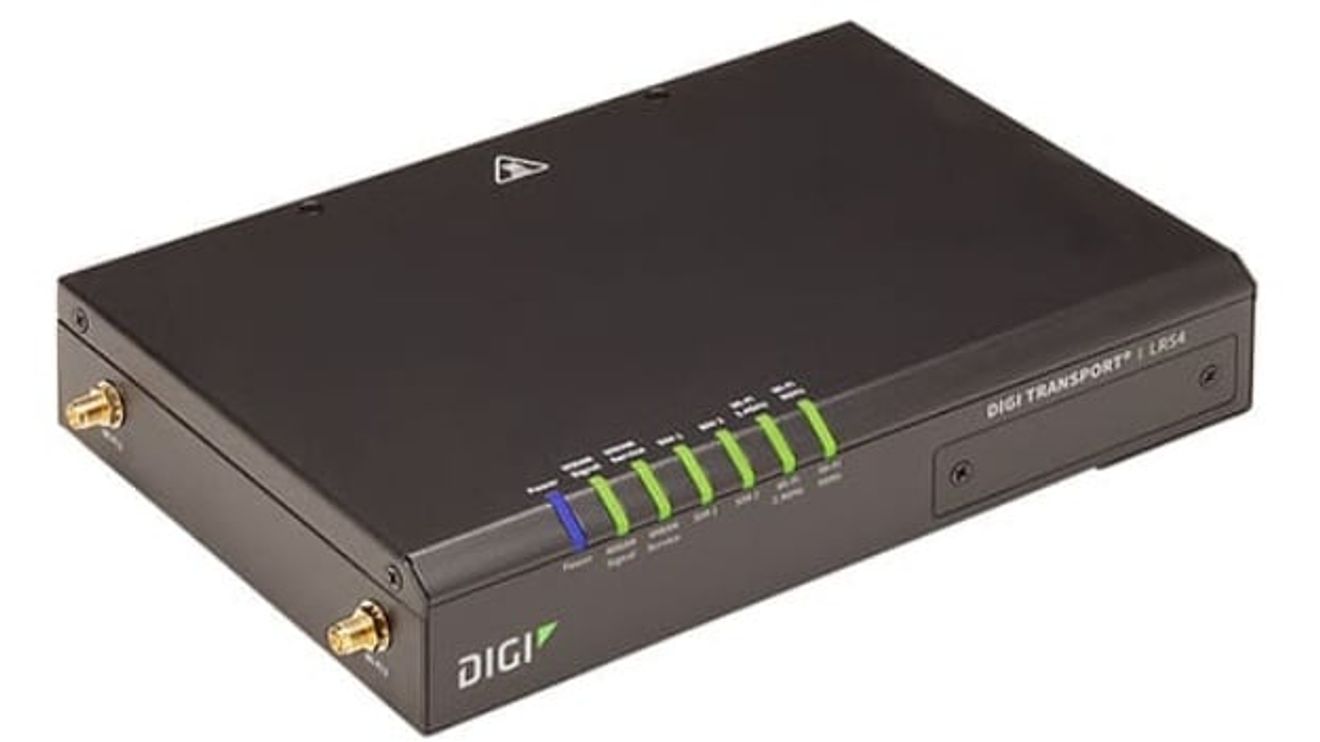
(Automation technicians often need to modernize the network technology in their systems while still maintaining compatibility with older WLAN protocols, especially because some older devices still work with 802.11a/b. It is also important to consider the differences between routers, switches and gateways.
Router, switch, gateway - the differences
Let's take a brief look at the differences between these three types of device. A router connects the main computer to other devices on the network that use different communication protocols.
The router is connected to the hub of the main computer via Ethernet. Many different protocols are supported, such as WLAN, mobile radio and Ethernet. For the wired Ethernet connection, the router sends Ethernet packets to all Ethernet ports, regardless of whether the data packet is destined for that port or not. For some networks, this could already be considered a security risk. A router can also be used for wireless networks.
A switch is basically almost the same as a router, with the exception that the Ethernet packets are only sent to the port for which they are intended, which increases security. Like the router, the switch can also be used in wireless networks. A switch for use in wireless networks is often still referred to as a router throughout the industry.
A gateway , on the other hand, is a router for switching between dissimilar networks, such as a large company intranet with the public Internet. All of the intranet's data traffic has access to this one gateway, effectively the only gateway to the outside world.
Security in the network
The router is the gateway to a network. Hackers can easily bypass network security through a WIFI router if proper precautions are not taken. If this happens, the entire network is at risk. Highly sensitive materials such as intellectual property and personal information can be stolen, fail-safes can be overridden and lives can be put at risk. Choosing the right router with strong security protocols is critical for any network, whether it's for your home, office or manufacturing facility.
There are a number of security protocols available on the market. The most secure protocol (WPA/WPA2 - WIFI Protected Access), would be WPAWPA2-PSK (TKIP/AES), however this option is not generally available for most routers on the market today. The next best option would be WPA2-PSK (AES), which is compatible with most routers. Some of the weakest security protocols are the WEP (Wired Equivalent Privacy) protocols. Both WEP 128 and WEP 64 are unstable and offer very little security protection. They are not recommended.
Routers in industrial environments
Gateways or routers can also support wireless protocols, e.g. for WLAN and mobile communications. For example, the 4G/LTE-capable LR54-AW403 router for mobile networks from Digi International supports the very latest WLAN protocols such as 802.11a/b/g/n/ac in addition to the older ones. The security of web applications is guaranteed via TLS 1.0/1.1/1.2. Although TLS 1.0 is no longer considered sufficient for the security of newer applications, this router supports this protocol for older WLAN nodes or network nodes and can thus considerably simplify the continued use of these TLS 1.0 devices until they are modernized.
The router with 4-port GbE switch for cable networks can enable a theoretical transmission rate of up to 300 Mbps thanks to the LTE Advanced mobile radio standard with CAT6.
As security and protection are an ongoing challenge, the TLS 1.3 router is equipped with a whole range of security protocols, including HTTPS and SFTP for the World Wide Web and file transfer. In addition to AES256 encryption, older protocols such as AES128 are also supported.
While choosing a router or switch for an existing network can be a challenge, a router that supports both legacy and modern protocols will greatly simplify setup, operation and troubleshooting.
| Distributors Corner |
|---|
This article is the first in the new "Distributors Corner" series on www.computer-automation.de In the "Distributors Corner", Digi-Key addresses topics that are frequently requested by its support and service department. All articles will be published in both German and English. |


You might also be interested in
Energy supply for production lines
Developers of production lines are always on the lookout for reliable and energy-efficient power supplies. The aim is to meet all requirements without breaking the budget. This is where DIN rail power supply units come into play.
 read more...
More than 340,000 new products
The distributor DigiKey added more than 340,000 new products to its product portfolio in the first half of the year. Around 90,000 of these are available for sale from stock.
read more...The e-paper of issue 1/2-2024
Distributors can help to master the three megatrends of electrification, automation and digitalization. The service providers explain how in this issue. Our new article series "ChatGPT in the industry" also starts in issue 1/2-2024.
read more...Interview with Eric Wendt, DigiKey
Everything on one platform
DigiKey continues to expand its offering in the field of automation technology. In this interview, Eric Wendt, Director Industrial Automation at DigiKey, talks about the background, the potential of the industry and the distributor's new services,...
read more...Interview with Eric Wendt, DigiKey
All on one platform
DigiKey continues to expand its offering in the field of automation technology. In this interview, Eric Wendt, Director Industrial Automation at DigiKey, talks about the background, the potential of automation industry and the distributor's new...
read more...DigiKey supports direct shipping within Europe
The distributor DigiKey now enables European suppliers to deliver directly to European customers via its marketplace program.
read more...DigiKey with a new brand identity
DigiKey has updated its brand system. The new logo and slogan are intended to reflect the evolution of the distributor, among other things.
read more...The e-paper of the January issue
Computer&Automation turns 25 this year! Throughout the year, we will be looking back at exciting aspects: What has happened in 25 years? What changes has the industry undergone? Until then, enjoy reading our first issue in 2023.
read more...New video series "Revolutionizing Automation"
Digi-Key presents "Revolutionizing Automation", a new video series about modern automation and control technologies.
read more...