

ifm electronic
The eyes of the robot
In order to equip robot applications and cobots in particular with 'vision', image processing needs to be integrated. Smart vision sensors suitable for this purpose can now be put into operation simply by configuration.
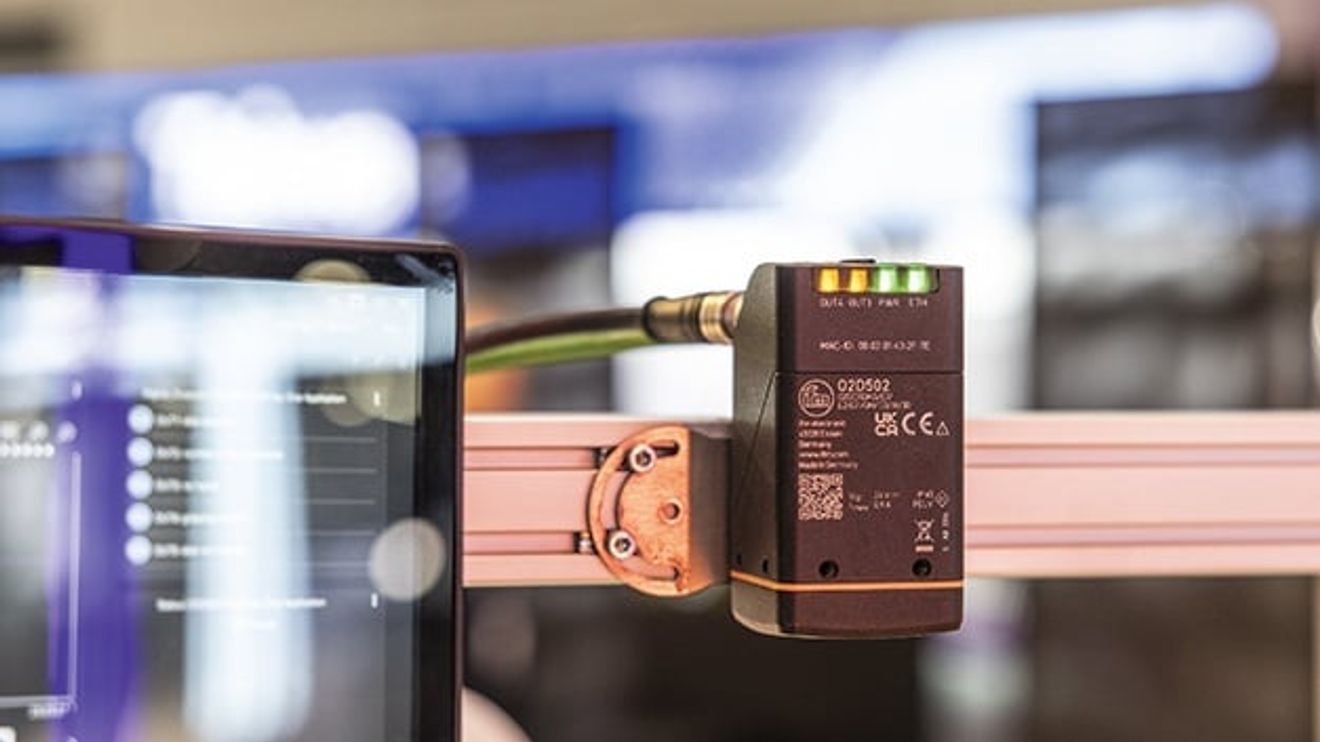
Image processing is still considered by many users to be a field that requires a great deal of specialist knowledge. Especially when using collaborative robots (cobots), it is important that the robot can 'perceive' its environment in order to enable safe and efficient interaction with humans. In addition, image processing is indispensable when robots have to recognize objects that they are to manipulate - in the sense of moving, assembling, sorting, picking or packing.
However, image processing systems do not necessarily have to be highly complex and require a great deal of expertise. The basic structure of image processing is always similar and consists of three steps: Capture image, evaluate and output results. The concept of smart vision sensors is based on implementing the three steps in a compact device. One example of this is the 'O2D500' from ifm.
Robot sensor calibration with a click

With the calibration sheet, the vision sensor can be calibrated to the robot's coordinate system with just a few clicks.
© ifmWhen using a vision sensor with a robot, one of the most important tasks is to calibrate the image captured by the sensor and the robot's coordinate system to each other. To make this task as simple as possible, the vision sensor from ifm uses the 'Vision Assistant'. When developing this software, the focus was on ensuring that it can also be operated by users who are not proven specialists in image processing. The tool therefore contains various image processing algorithms that can be used without the need for programming. This also applies to the robot sensor calibration, which is based on a so-called marker calibration. It works largely automatically with just a few clicks. To do this, the user can print out a calibration sheet from the software and then place it in the robot's working area and in the vision sensor's field of view. Once the focus and exposure have been set - this is also done automatically with just a few clicks in the software - the robot's tool center point must be placed on the four markings one after the other. The user enters the coordinates in the corresponding fields in a table in the 'Vision Assistant'. In the next step, the data is transferred by clicking on the Teach button. Finally, up to 16 images are taken from the calibration sheet, each in slightly different positions, in order to improve the calibration. The software displays a quality indicator: Calibration is complete when this is at least 85 %. If required, a Z offset can be specified. To check the calibration once again, the user can measure the length of a line, which is also printed on the sheet, in the software. If this matches the actual length, the vision sensor is ready for use.
| The 'O2D500' |
|---|
| Depending on the application, the vision sensor from ifm, in which lighting is already integrated, is available in an infrared version or in a version for the visible range. Standard, wide-angle or telephoto lenses are available to take account of the geometric conditions - in particular the distance between the object and the sensor. The focus, which ensures a sharp image, works electromechanically. Rotatable connectors simplify installation and connection. Either Ethernet/IP or Profinet are used for connection to higher-level systems. |
Combination with other functions

A helpful feature of this type of robot-sensor calibration is that the sensor adapts to the robot's coordinate system. This eliminates the need for coordinate transformation in the robot program, which is always a potential source of error. To further simplify the application, there are example programs for various robot manufacturers that users can work with directly. The syntax can also be created for other robot types with just a few clicks. The communication modules from the Vision Assistant to the robot are also preconfigured, with communication between the robot and vision sensor taking place via TCP.
Other functions such as contour and object analysis are already programmed in the Vision Assistant and can be combined with the robot functionality.


You might also be interested in
SWIR hyperspectral camera for industrial high-speed inspection
Teledyne Dalsa launches 'Kaleido', a hyperspectral camera for use in the shortwave infrared (SWIR) range, designed to overcome the existing integration and performance limitations of industrial sorting processes.
 read more...
Machine vision industry expects turnaround in 2026
After difficult years, the European machine vision industry is sending out the first signs of recovery: growth is expected again in 2026 - driven by global demand, AI and automation. However, uncertainties and weak investment in Europe continue to...
read more...IDS and Prophesee intensify partnership
IDS and Prophesee are intensifying their partnership for the next generation of event-based industrial cameras. Together they want to explore new sensor architectures that combine classic imaging with Prophesee's event-based 'Metavision' technology.
read more...2D Machine Vision brands bundled under one roof
From January 2026, the image processing brands Allied Vision, Chromasens, Mikrotron, NET and SVS-Vistek will be merged under the Allied Vision brand. The companies, which are part of TKH Group NV, will combine their technological know-how,...
read more...Integrated SWIR sensors from Sony
Balluff has integrated the three SWIR sensors IMX990, IMX992 and IMX993 from Sony into the portfolio of the 5GigE camera family 'BVS CA-GV'.
read more...Changes to the Executive Board
The long-standing Basler CEO Dr. Dietmar Ley will be leaving the company at the end of the year and will be succeeded by the current CCO/COO Hardy Mehl. The CTO position will be filled externally by Dr. Kai Jens Ströder.
read more...Basler acquires 76% of Indian image processor
Basler, supplier of image processing components for computer vision solutions, has acquired 76% of the Indian sales partner Alpha TechSys Automation.
read more...'AI Cam' as a building block of the 'Industrial AI' strategy
True to the motto "Smart data instead of big data", Turck relies on 'edge AI' instead of cloud load. Managing Director Christian Wolf explains why industrial image processing with AI directly in the field is setting new standards for efficiency and...
read more...Dual leadership in Shanghai
Stefan Becker has been appointed Managing Director of Eckelmann Automation Technology in Shanghai and will manage the subsidiary together with Zhongwei Huang.
read more...