
Rapid prototyping
Modular to prototype
Many companies lack the time, money and ultimately the know-how to develop prototypes from innovative ideas. A modular system can help: ideas can be evaluated quickly and cost-effectively using modular rapid prototyping.
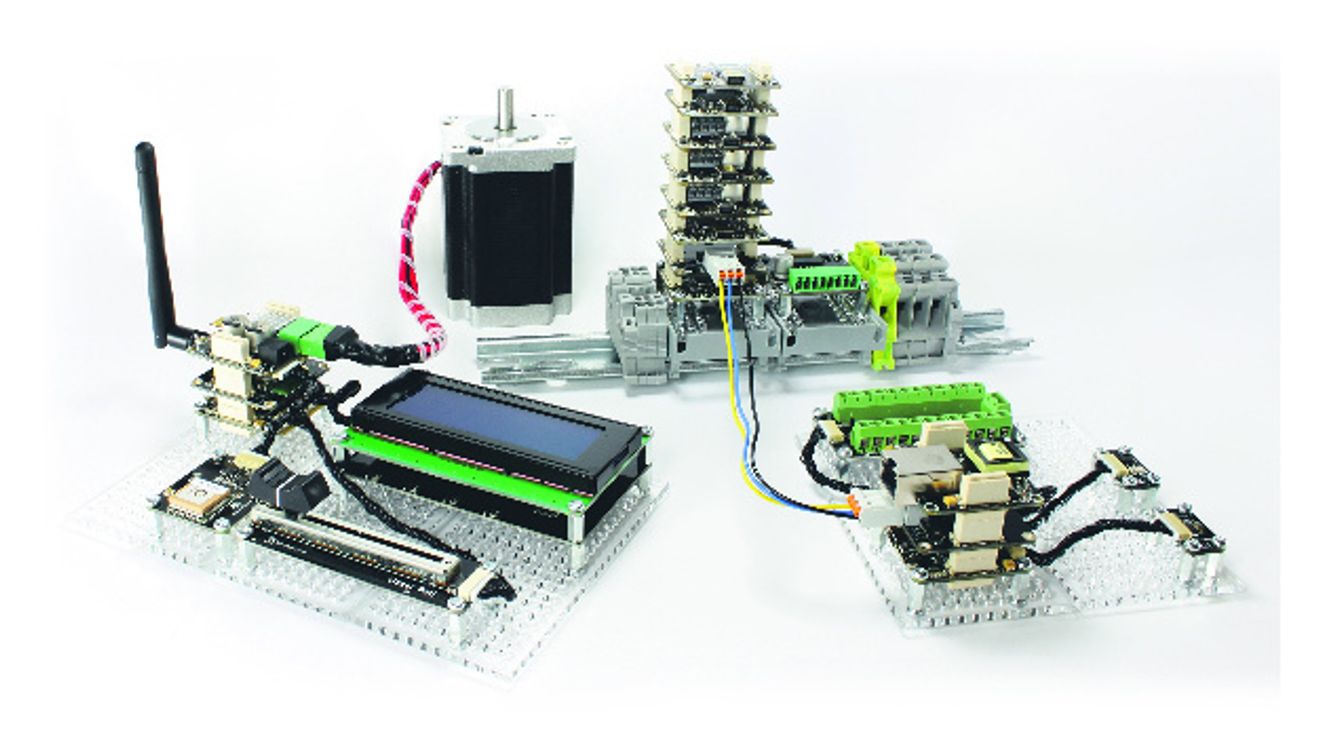
Many developers are familiar with the situation: you have an exciting idea, but pursuing it further would be very time-consuming: There is a lack of suitable hardware - it is foreseeable from the outset that several prototypes would have to be developed. There is no way to try them out quickly. And the software development for the hardware would also take a lot of time. With the right resources, however, these hurdles can be removed and innovative products can be realized whose development was previously considered too costly or too risky.

Structure of a temperature-dependent motor controller: Stepper motor (left), stepper brick (stepper motor controller, center) with temperature bricklet (temperature sensor, right) controlled via USB.
© TinkerforgeOne solution is a rapid prototyping modular system: a modular system that allows the user to select the required hardware - similar to LEGO bricks - and plug it together. This means that users no longer need to develop their own hardware to try out ideas. The prototype can be flexibly modified at any time. This approach significantly reduces the cost and time required for an initial prototype.
Once the hardware of the prototype has been developed and built, the next step is programming. Developers often implement a lot of code for this, which is only indirectly related to the actual task.
One example: a temperature-dependent motor control system that can be configured via smartphone. Controlling an H-bridge for motor control, implementing I2C communication with a temperature sensor or integrating and communicating with a WLAN module are tasks that the developer has to solve - but which have little to do with the actual idea.
Reduce programming effort

A typical standalone application using rapid prototyping: a RED brick module with HDMI touch display and battery.
© TinkerforgeIn order to take full advantage of the modular hardware, the user interface of the system must have a high degree of abstraction. Example: The measured value of a temperature sensor must be directly retrievable in °C using a getTemperature() function call and the speed of a motor must be controllable using a setVelocity(speed) function.
A user interface with this level of abstraction leads to a significant reduction in programming effort. The user does not have to deal with the implementation of basic functionalities, but can work directly on the problem. To enable application and web developers to program such systems, as many programming languages as possible should be supported.
The modules can be integrated into your own software via software libraries (APIs). The hardware thus becomes a function of the software that interacts with the real world. This approach also offers the advantage that the entire range of libraries from application development is available to the user.
These include libraries from the areas of machine-to-machine communication (M2M), database connection, graphical user interfaces (GUI), web applications and encryption. This is a huge advantage, especially for applications in the areas of the Internet of Things or Industry 4.0, compared to typical embedded development, which is limited in its range of functions and compatibility with other software and devices.
Implement ideas
For the aforementioned scenario of "temperature-dependent motor control configurable via smartphone", this means that the user selects a temperature sensor, a motor controller for DC motors and a WLAN module. Instead of developing the necessary hardware, he simply plugs modules together and connects the motor to be controlled and a power supply. The actual temperature-dependent motor control can be implemented using almost any programming language. Instead of having to worry about controlling an H-bridge or reading out a temperature sensor, the modular system does this for him. The user therefore only has to worry about the actual task and works at a high level of abstraction. Configuration via WLAN is then also completed quickly, as the implementation of communication with the WLAN module and encryption is also handled by the system.
Compared to traditional product development, the rapid prototyping system provides the user with quick and cost-effective results. After a proof of concept and evaluation of the idea, product development can either be carried out directly using the building blocks of the modular system or the user can start with their own hardware development. Regardless of which option is pursued, key elements of the idea have already been evaluated. Further development can therefore take place with significantly lower risks and greater planning certainty. The modular system is therefore a good way of quickly trying out ideas and, if necessary, pursuing them through to the development of a finished product. Typical areas of application for the system include product development, projects in the area of the Internet of Things or Industry 4.0, the automation of test setups, use in teaching and training or directly as a control system in small series of one piece or more.
Author: Bastian Nordmeyer is Managing Director at Tinkerforge.
The Tinkerforge modular system
The Tinkerforge modular system is a modular rapid prototyping system with currently over 70 different sensor/actuator modules and software libraries for many programming languages. The modules, which cost between €4.19 and €100, can be controlled via USB, WLAN or Ethernet from an external server, (embedded) PC, Raspberry Pi, tablet or smartphone. The system follows the motto: "A module for every task. There are modules for controlling DC, stepper and servo motors, for measuring environmental parameters such as temperature, air pressure and humidity, electrical current and voltage, for user interaction via touch, buttons, displays and NFC/RFID as well as for connecting external devices via industrial interfaces such as RS232 or via electrically isolated I/Os.
The modular system consists of three different module groups: Bricks, Master Extensions and Bricklets.
■ Bricks are small 4 cm × 4 cm modules with USB and up to four connections for Bricklets. They are either controlled individually or as a stack by an external device via USB or can work independently. Each Brick has a task: there are Bricks for controlling motors, for communication or, in the case of the IMU Brick, for calculating the position in space. The RED brick can execute user programs, thus taking control of the hardware and enabling the connection of other devices and displays (USB, HDMI).
■ Master Extensions are also small 4 cm × 4 cm modules that can be used to replace the USB interface of the Bricks with another interface. They are simply plugged onto Bricks. Using extensions, stacks of Bricks can be controlled via the network using Ethernet or WLAN instead of USB. The RS485 extension enables the Bricks to be networked with each other.
■ Bricklets are modules of any size and are connected to a Brick by cable. They extend the capabilities of the Brick. There are Bricklets for measuring physical quantities - such as electrical voltage, light intensity or temperature - but also Bricklets for digital input/output or for switching 230 V consumers.
All modules are controlled via software libraries. Libraries are available for the programming languages C/C++, C#, Delphi/Lazarus, Java, JavaScript, Labview, Mathematica, Matlab/Octave, Perl, PHP, Python, Ruby, Shell and Visual Basic.Net. In addition to the programming languages, the modules can be controlled directly via MQTT or TCP/IP packets.
Depending on the task, the user selects suitable modules, puts them together in a few simple steps and quickly writes their own program using the libraries provided or integrates the modules into existing software. The user program is executed on the external device (e.g. PC, smartphone or tablet) connected via USB, WLAN or Ethernet.
For applications without external control, the RED Brick is also available as a module that can directly execute the user's own program. An external controlling device is therefore no longer necessary. The user simply develops and tests their software on their PC and transfers it to the RED-Brick as soon as development is complete.
This then takes over the execution. The RED-Brick can also be used to run software with a graphical user interface via existing USB hosts and HDMI connections.


You might also be interested in
Virtualized Control Technology in Practice
Software determines functionality in televisions, vehicles, smartphones, and increasingly in industrial automation and industrial control systems. This development has led to the emergence of virtual PLCs (vPLCs). The following article describes how...
 read more...
Smart chips for greater energy efficiency
In the AI lighthouse project "eki", a research team led by the University of Paderborn has been working on improving the energy efficiency of AI systems and developing methods that can reduce the energy consumption of AI by up to 90 percent. Special...
read more...Stephan Volgmann becomes Chief Saels Officer
On May 15, Stephan Volgmann will take over the newly created position of Chief Sales Officer within the Group Management of Phoenix Contact.
read more...Bosch invests in business areas of the future
Over the next five years, Bosch is investing around 200 million euros in its subsidiary Bosch Business Innovations. As a corporate venture builder, the unit develops new business ideas beyond the current core business and builds start-ups from the...
read more...Mario Poltronieri is the new President of the German subsidiary
Mitsubishi Electric Europe, German branch, has announced a change in management: Mario Poltronieri took over as President of the German branch on April 1, 2026.
read more...Native Integration of Codesys Control SL in u-OS
With the availability of 'Codesys Control SL' as an app on 'u-OS', Weidmüller is expanding the application possibilities of the open operating system for the Industrial IoT and industrial automation.
read more...Siemens makes a strong Start to Fiscal Year 2026
Siemens raises its forecast for 2026 after a strong first quarter. Order intake and sales increased significantly, industrial earnings rose at a double-digit rate. The order backlog reached an all-time high of 120 billion euros.
read more...Changes to the Bosch Rexroth Management Board
Dr. Jochen Peter (50) joined the Executive Board of Bosch Rexroth AG in Lohr am Main on January 1, 2026 and will become Chairman of the Executive Board on March 1, 2026 after a familiarization phase. He succeeds Dr. Steffen Haack (59), who will step...
read more...Siemens presents technologies to accelerate industrial AI
At CES, Siemens presented technologies to accelerate industrial AI: new digital twins, AI co-pilots, an Industrial AI Operating System and applications in manufacturing, energy and life sciences.
read more...